
Stop Leaking PII and Guessing Prompt Versions: Test RezunateLLM Live in Your Browser
See how RezunateLLM's free API Sandbox lets you test PII redaction and version-controlled prompt management directly in your browser, before writing a single line of integration code.


Your support bot just echoed a customer’s national ID into a public Slack channel. Meanwhile, your marketing assistant relies on a system prompt edited by three different people, and nobody knows which version is actually live.These aren't hypothetical horror stories, they are two of the most common LLM deployment failures With RezunateLLM, you can see how to prevent both live in your browser, before writing a single line of integration code.
RezunateLLM’s free API Sandbox lets you test enterprise guardrails instantly without an API key:
- PII Scan & Redaction: Automatically detect, flag, redact, or block sensitive data (names, IDs, emails, addresses) using customizable rules.
- Prompt Management: Fetch version-controlled prompt templates with dynamic variables keeping every system prompt update tracked and auditable.
- Full Transparency: Every sandbox run delivers a complete response and a Raw JSON payload
- Zero Friction: Try it out, refine your rules, and generate a real API key from your dashboard when you're ready to integrate.
Why Enterprises Need an AI Gateway
Most engineering teams discover data leakage or prompt drift only after a security incident occurs. Standards bodies are already making pre-deployment testing non-negotiable , the NIST AI Risk Management Framework explicitly emphasizes mapping and measuring AI risk prior to deployment, while frameworks like NIST SP 800-188 outline clear requirements for reducing re-identification risks in text data. We built the RezunateLLM Sandbox so you don't have to wade through dense documentation, request API keys, or write setup boilerplate just to test a guardrail rule or a prompt version. You deserve to see the exact input and output in real time before putting live user traffic on the line.
How RezunateLLM’s Sandbox Handles PII Redaction and Prompt Management
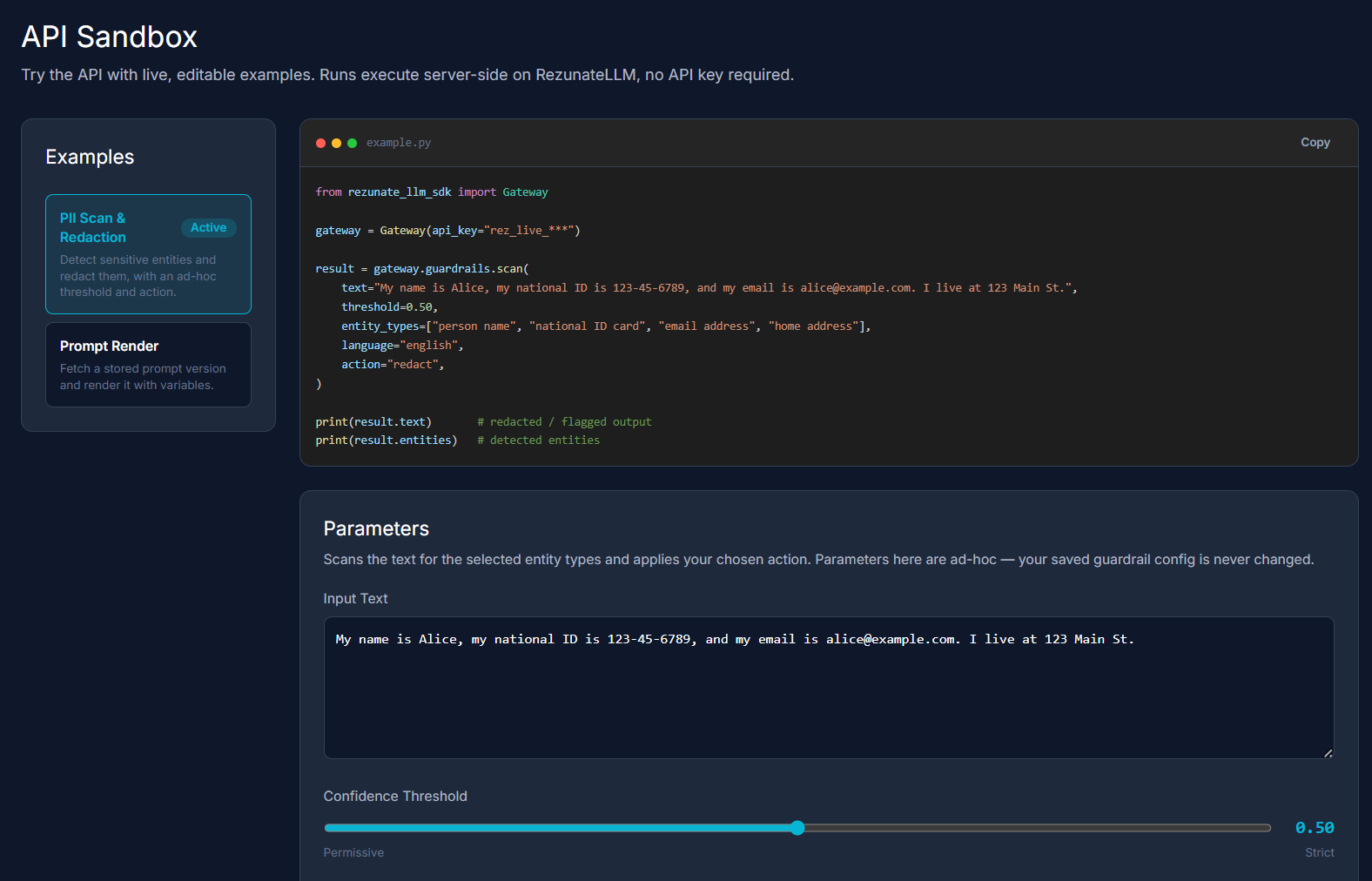
RezunateLLM is enterprise middleware that sits directly between your application and your LLM provider, adding a robust guardrail and prompt-management layer to your stack. To let you test these capabilities instantly, the API Sandbox provides an interactive, browser-based playground. It features pre-loaded examples so you can quickly toggle through common test scenarios, alongside a live code panel that reveals the exact SDK calls running under the hood. Because execution happens server-side with shared keys, you get zero-setup experimentation right out of the box.
How to Test: Guardrails
Step 1: Open the Sandbox and select the PII Scan & Redaction example. This loads gateway.guardrails.scan() in the code panel - the SDK call that powers everything below.
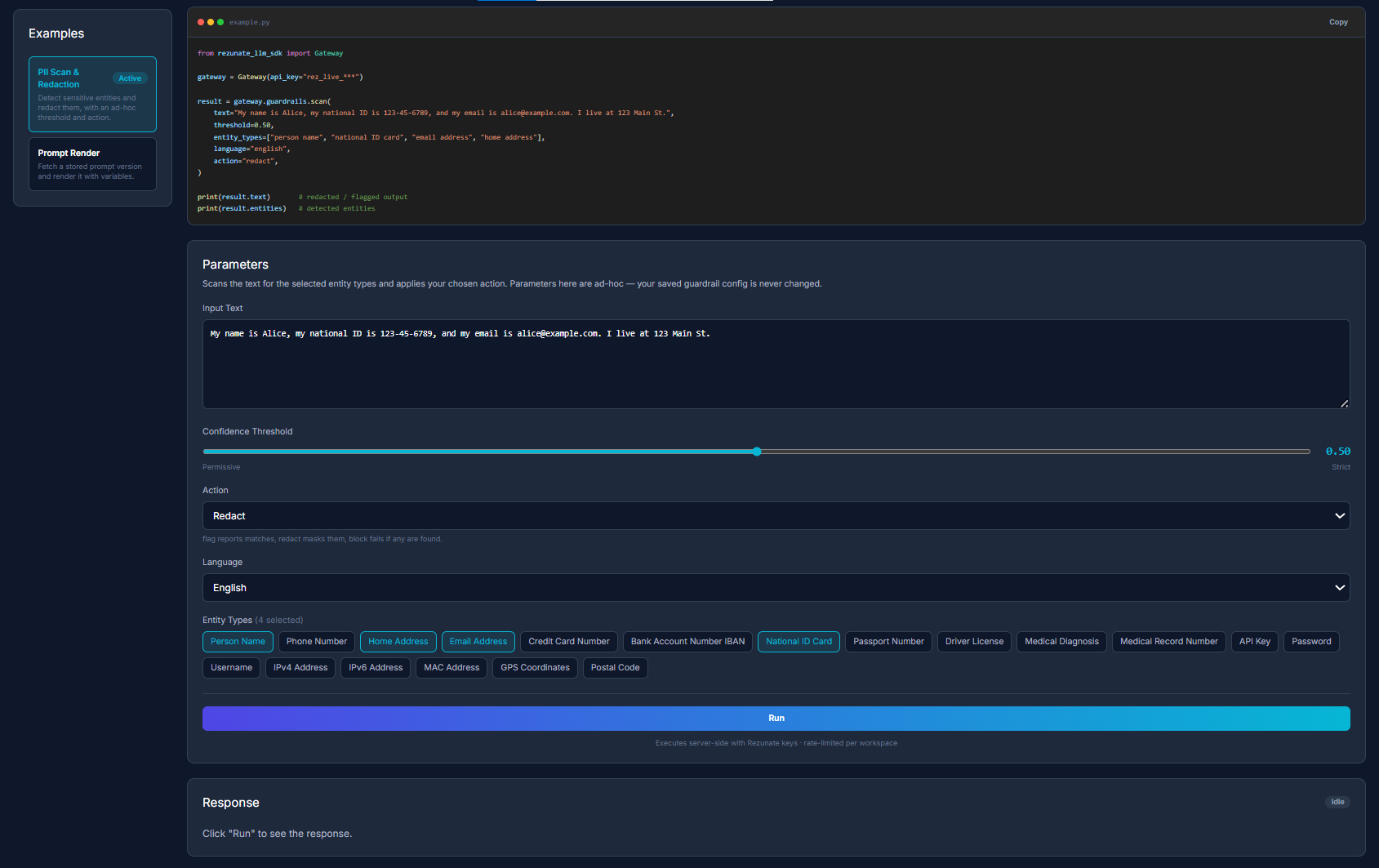
Step 2: Edit the Input Text box. Paste in whatever text you want to test, or use the pre-filled sample containing a name, national ID, email, and address.
Step 3: Set the Confidence Threshold. Drag the slider anywhere from Permissive to Strict, depending on how aggressively you want matches flagged.
Step 4: Open the Action dropdown and choose one: Flag (reports matches only), Redact (masks them in the output), or Block (fails the request if any are found).
Step 5: Select your Entity Types. Check off which categories to scan for person names, national ID numbers, email addresses, home addresses, credit card numbers, and more.
Step 6: Click Run. The scan executes server-side no API key needed in the sandbox.
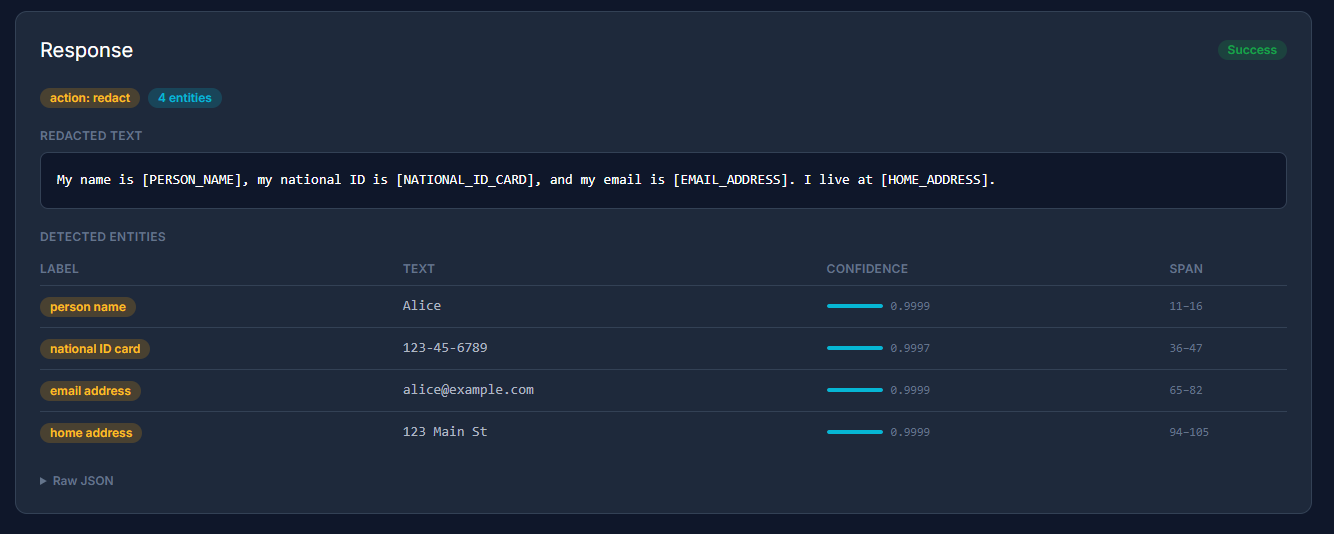
Step 7: Review the Response panel. You'll see the redacted text with each entity masked, plus a table listing every entity's label, matched text, confidence score, and character span.
Step 8: Expand Raw JSON. This shows the exact structured payload your application would receive via the API ready to drop into your own logs or monitoring pipeline.
How to Test: Prompt Management
This example calls gateway.get_prompt() to fetch a stored, versioned prompt template by slug and render it with your variables no more hardcoded system instructions buried in your application code. Following best practices when writing these templates helps keep the rendered output clear and reliable.
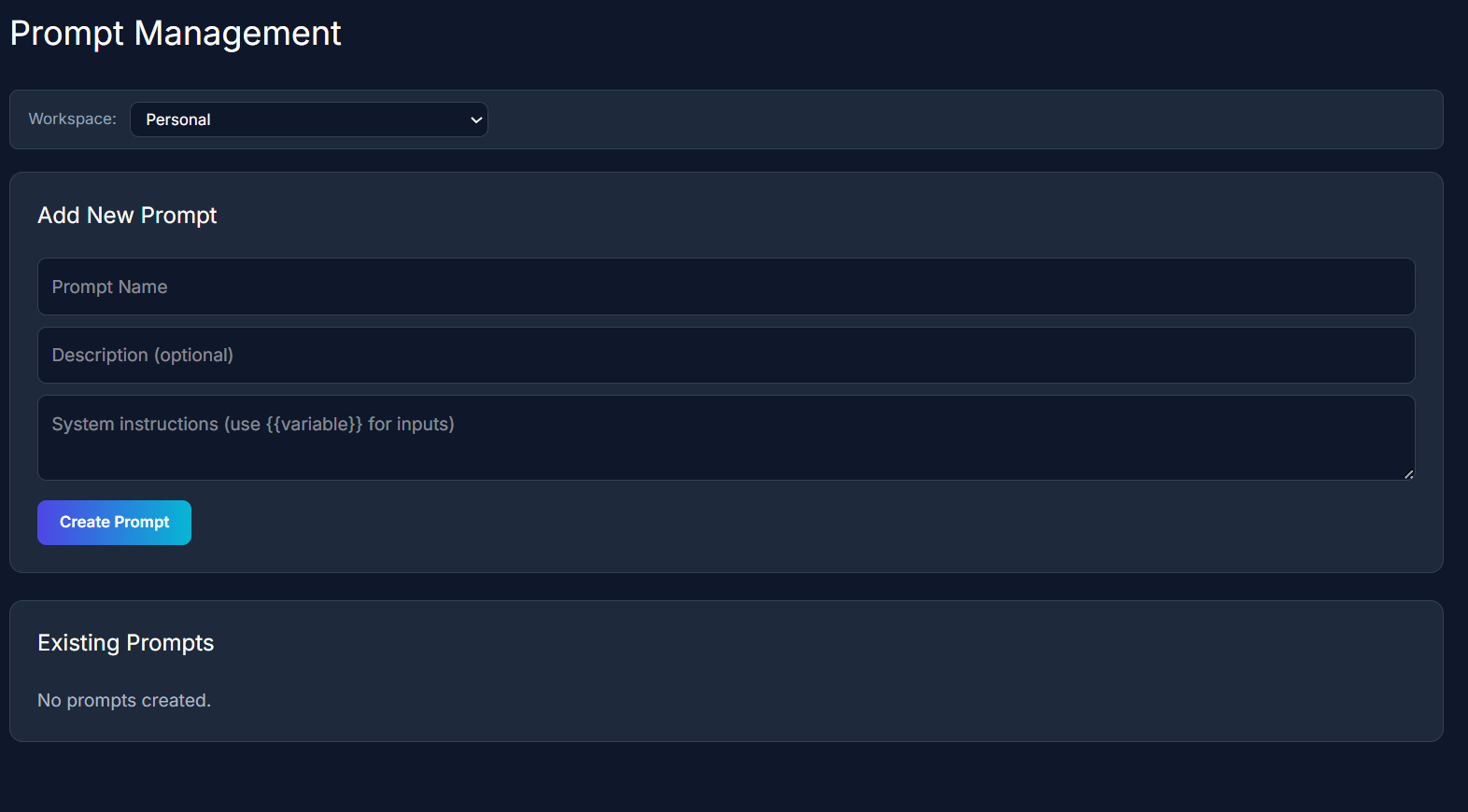
Step 1: Go to Prompt Management in the sidebar.
Step 2: Fill in the prompt fields: a Prompt Name, an optional Description, and System instructions using {{variable}} placeholders anywhere you want dynamic input.
Step 3: Click Create Prompt. Your new prompt is saved with a unique slug ID you'll use to fetch it.
Step 4: Return to the Sandbox and reopen the Prompt Render example.
Step 5: Select your new prompt from the Prompt dropdown, grouped by workspace.
Step 6: Add variable values as JSON, if your template uses any {{placeholders}}.
Step 7: Click Run.

Step 8: Review the response. You'll get the fully rendered prompt back along with its version number, so every change to a live prompt stays auditable.
Step 9: Expand Raw JSON. To see the full structured payload, same as you would from the API.
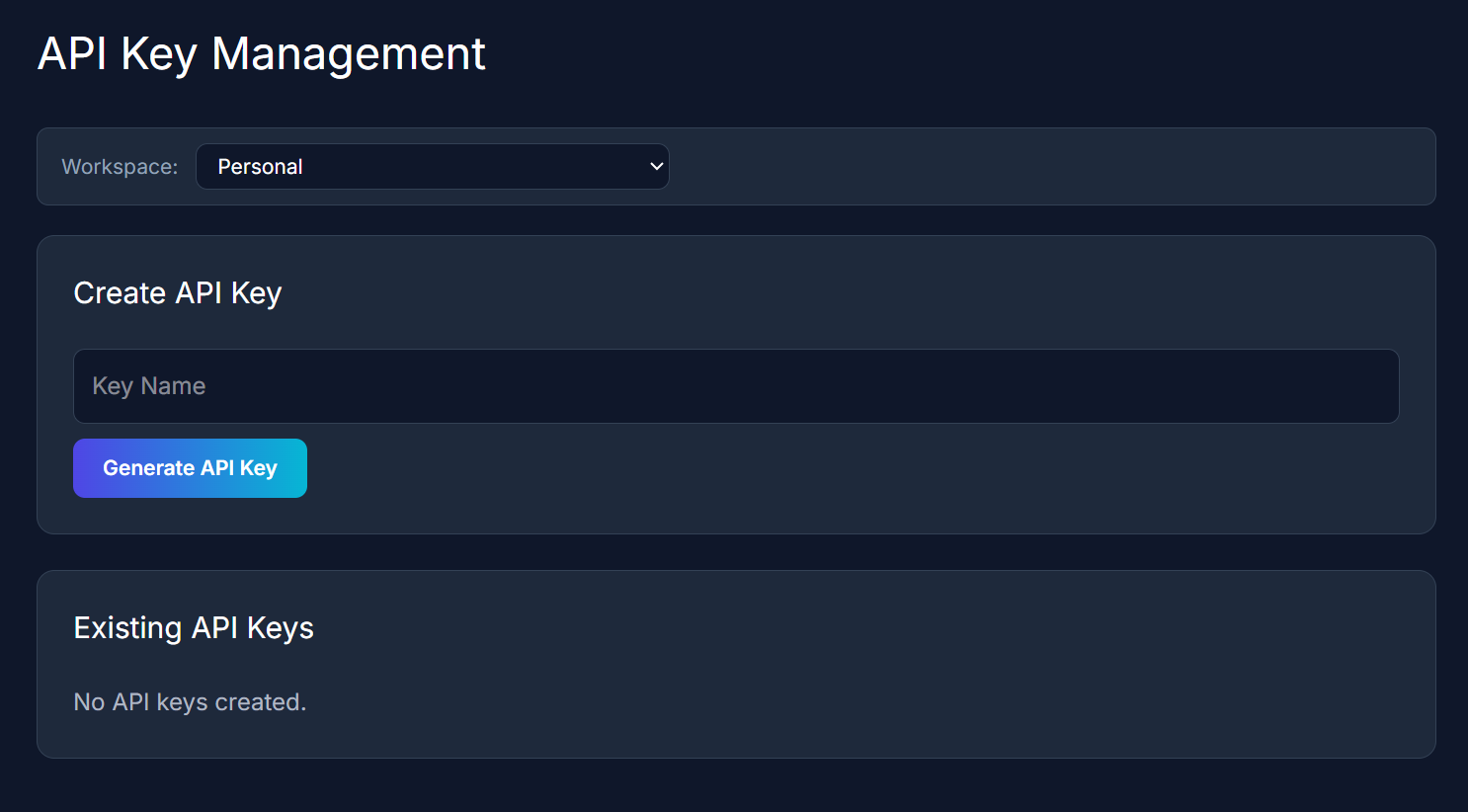
Step 10: Ready to go further? Generate a real API key. Head to API Keys in the sidebar, enter a key name, click Generate API Key, and copy it immediately it authenticates the same SDK calls you just tested.
What's Next
The Sandbox currently covers our two most-requested capabilities, but it mirrors the same middleware your production traffic would run through so testing here now means fewer surprises later.
Book a Demo
Have questions about guardrails, prompt management, or rolling RezunateLLM out across your workspace?
Book a demo and our team will walk you through it.